
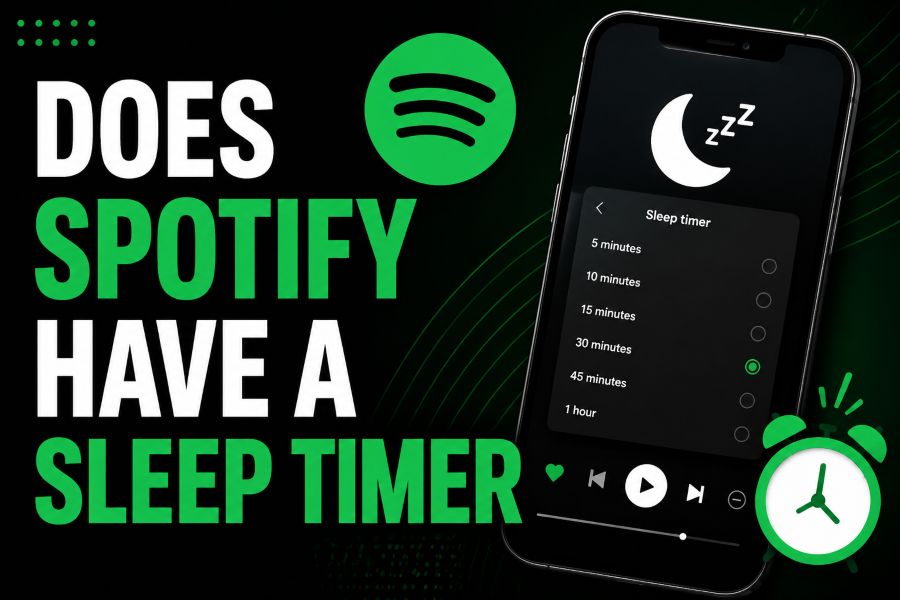
If you have ever fallen asleep with music, podcasts, or audiobooks still playing, you may have wondered: does spotify have a sleep timer? Yes, Spotify includes a built-in sleep timer that can automatically stop playback after a set amount of time.
The feature is designed for bedtime listening, quiet background audio, and anyone who wants Spotify to stop without manually opening the app again. It can help save battery, reduce overnight data use, and prevent playlists from running for hours.
Spotify's sleep timer is available across supported Spotify surfaces, including mobile, desktop, and Wear OS, with the timer stopping playback on many connected devices. The exact steps can vary slightly depending on whether you are listening to music, podcasts, or audiobooks.
This guide explains how the Spotify sleep timer works, where to find it, what options it offers, and what to do if you cannot see it in your app.
Spotify's sleep timer lets you choose how long audio should keep playing before it stops automatically. Common timer choices include 5, 10, 15, 30, and 45 minutes, plus 1 hour.
You may also see an option to stop at the end of the current track or episode. This is useful when you want to finish one song, podcast segment, or audiobook chapter without continuing into the next item.
For music, the sleep timer is usually found from the Now Playing screen through the three-dot menu. For podcasts, Spotify may show a dedicated timer or clock-style button near the playback controls.
Once the timer is set, Spotify confirms it on screen. You can usually return to the timer menu to check the remaining time, change the setting, or turn the timer off.
The sleep timer is especially helpful because Spotify Connect can send audio to speakers, TVs, consoles, and other devices. In supported setups, the timer you set can stop playback even when the sound is coming from another device.
How Does Spotify's Sleep Timer Work?
It Stops Playback Automatically
Spotify's sleep timer works by ending playback after the period you choose. Instead of lowering the volume or pausing only a single screen, it is meant to stop the active listening session when the timer runs out.
It Uses Preset Time Options
The timer is built around preset choices rather than a fully custom clock. Most users can choose short intervals such as 5, 10, 15, 30, and 45 minutes, or select 1 hour for longer bedtime listening.
It Can Stop at the End
Spotify may also let you stop playback at the end of the current song, episode, or track. This option is useful when you do not want audio to cut off mid-sentence or in the middle of a favorite song.
It Appears in Now Playing
The sleep timer is accessed from the Now Playing view, which is the full playback screen that opens when you tap the bar at the bottom of the app. From there, the timer is usually inside a menu or visible as a timer icon.
It Works With Different Audio Types
Spotify's timer can be used for music, podcasts, and audiobooks, although the button placement can differ by content type. Podcast and audiobook listeners often benefit most because longer episodes can otherwise continue after they fall asleep.
It Helps Control Connected Playback
When Spotify is playing through a connected speaker, TV, game console, or similar device, the sleep timer can still be useful. In supported cases, setting the timer from your phone, desktop, or Wear OS device can stop playback on the connected device.
It Is Separate From Autoplay
The sleep timer is not the same as Spotify's autoplay setting. Autoplay controls whether Spotify continues with recommended audio after your selected content ends, while the sleep timer stops playback after a chosen time.
Best Ways to Set Spotify Before Bed
1. Open Spotify and start playing the song, podcast, playlist, or audiobook you want to hear before sleeping.
2. Tap the Now Playing bar so the full playback screen appears on your device.
3. For music, open the three-dot menu and look for the Sleep Timer option near the playback choices.
4. For podcasts or audiobooks, look for a timer, moon, or clock-style icon near the main playback controls.
5. Choose your preferred time and confirm that Spotify shows a message indicating the sleep timer has been set.
Spotify Sleep Timer Benefits
- Battery control: The timer helps prevent Spotify from playing all night, which can reduce unnecessary battery drain on phones, tablets, and laptops.
- Data savings: If you stream over mobile data, stopping playback automatically can help avoid hours of unwanted data use while you sleep.
- Better sleep routine: A timer gives your bedtime audio a clear end point, making it easier to use music, podcasts, or audiobooks without disruption later.
- Audiobook protection: The feature helps keep audiobooks from running far beyond the point where you fell asleep, so you do not lose your place as easily.
- Podcast convenience: Long podcast episodes can continue for hours, but a sleep timer lets you listen comfortably without needing to stop playback manually.
- Connected device control: In supported setups, the timer can stop playback even when Spotify is casting audio to another speaker or screen.
- Simple setup: Because the timer is built into Spotify, you usually do not need a separate app, shortcut, or phone system setting.
Sleep Timer Tips for Every Device
Update the Spotify App
If you cannot find the sleep timer, start by updating Spotify. App layouts change over time, and newer versions are more likely to include the latest timer placement and cross-device controls.
Check the Full Playback Screen
The timer is easy to miss if you only look at the mini player. Tap the playback bar at the bottom of Spotify first, then check the full Now Playing screen and its available menus.
Look in the Three-Dot Menu
For music, the sleep timer commonly appears inside the three-dot menu in the upper area of the Now Playing screen. Scroll the menu if you do not see the option immediately.
Use the Podcast Timer Icon
Podcast playback screens often show a dedicated timer icon near the play controls. This shortcut can be faster than opening the full menu, especially when you listen to episodes at night.
Confirm the Timer Was Set
After choosing a time, look for Spotify's confirmation message. If you do not see confirmation, reopen the timer menu and check whether a remaining time is displayed.
Turn Off Autoplay When Needed
If Spotify keeps playing recommendations after your queue ends, review the autoplay setting as well. A sleep timer should stop playback at the selected time, but disabling autoplay can add another layer of control.
Use Device Timers as Backup
If Spotify's built-in timer is unavailable on your device, your phone or computer may offer a system-level timer that stops media playback. This can be a practical backup until the Spotify option appears.
So, does Spotify have a sleep timer? Yes, and it is one of the simplest tools for making Spotify easier to use at night. It lets you fall asleep to music, podcasts, or audiobooks without leaving audio running until morning.
The main place to find it is the Now Playing screen. Depending on what you are listening to, you may need the three-dot menu, a timer icon, or a clock-style control.
For most listeners, the best approach is to set the timer before putting the phone down, choose a realistic interval, and confirm that Spotify accepted the setting.
Used consistently, the sleep timer can make bedtime listening cleaner, quieter, and easier to manage across your everyday devices.
FAQs About does spotify have a sleep timer
Does Spotify have a sleep timer for music?
Yes, Spotify has a sleep timer for music. Open the Now Playing screen, tap the three-dot menu, find Sleep Timer, and choose how long you want the music to continue.
Does Spotify have a sleep timer for podcasts?
Yes, Spotify supports a sleep timer for podcasts. Podcast screens may show a dedicated timer or clock-style button near the playback controls, making it easy to set before bed.
Can Spotify stop at the end of a song?
Yes, Spotify may offer an option to stop playback at the end of the current track. This is helpful when you want the audio to finish naturally instead of stopping in the middle.
Why can't I see the Spotify sleep timer?
If you cannot see the timer, update the Spotify app, open the full Now Playing screen, and check the three-dot menu or playback controls. Availability and placement can vary by device, app version, and content type.
Does the Spotify sleep timer save battery?
Yes, it can help save battery by stopping playback automatically instead of allowing Spotify to stream or play downloaded audio for hours after you fall asleep.
Does the sleep timer work with Spotify Connect?
In supported setups, Spotify's sleep timer can stop playback on connected devices such as speakers, TVs, and game consoles. Set the timer from a supported control device and confirm it is active.
Can I set a custom Spotify sleep timer length?
Spotify mainly offers preset timer lengths, such as 5, 10, 15, 30, and 45 minutes, plus 1 hour and sometimes an end-of-track option. A fully custom minute-by-minute timer may not be available in the app.